How to make a Moors World of Sport MTN MoMo deposit
A step-by-step guide to depositing at Moors World of Sport with MTN MoMo, plus how to withdraw your winnings back to your MTN wallet, the limits, and what the 5% betting levy does to every payment.
18+ · T&Cs apply · Bet responsibly
MWOS MTN MoMo limits at a glance
| Minimum deposit | K1 |
|---|---|
| Maximum deposit | K20,000 |
| Minimum withdrawal | K10 |
| Maximum withdrawal | K20,000 |
| Withdrawal time | Not stated |
| Fee from MWOS | None charged by MWOS |
| How you approve | PIN prompt on your phone |
Before you deposit
- An active MWOS account. If you don’t have one yet, see our registration guide.
- A registered MTN wallet in your own name, with enough balance for the deposit plus any network fee.
- Your MTN PIN. You’ll need it to approve the prompt on your phone, and you should never share it.
- Your phone to hand. The PIN prompt times out after a short while, so keep your phone unlocked while you pay.
How to deposit at MWOS with MTN MoMo
Depositing with MTN MoMo at MWOS usually takes about a minute. You start the payment on MWOS’s site or app, then approve it with your PIN when the prompt pops up on your phone.
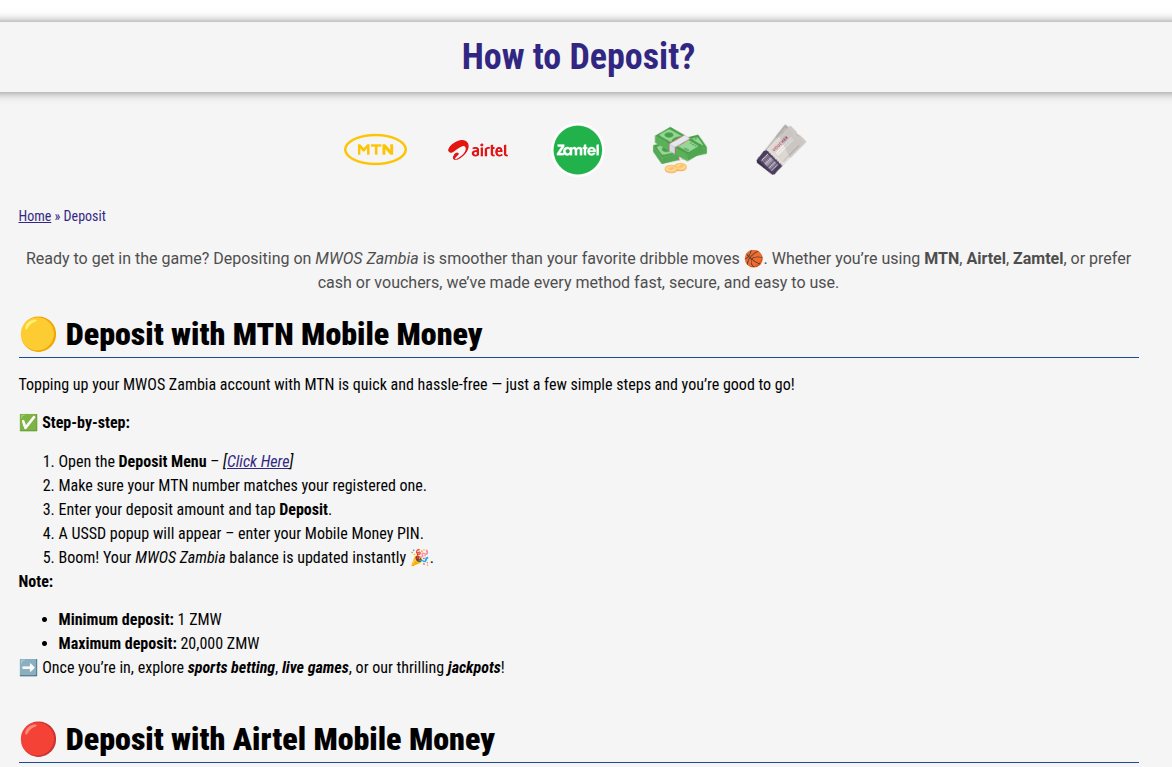
- Log in at betting.co.zm and open the Deposit menu.
- Choose MTN MoMo and confirm the number shown matches your registered one.
- Enter your deposit amount, from K1 to K20,000, and tap Deposit.
- A USSD pop-up appears on your phone. Enter your MTN MoMo PIN.
- Your MWOS balance updates within seconds.
18+ · T&Cs apply · Bet responsibly
How to withdraw from MWOS to MTN MoMo
- Open the Withdraw menu in your account.
- Enter the amount, from K10 to K20,000.
- Confirm with your MWOS password.
- Tap Withdraw and the money is sent to your MTN MoMo wallet.
The name on your MWOS account must match the name on your MTN wallet. MWOS may ask you to verify your identity with your NRC before your first withdrawal, so do it early.
What the 5% levy means for your deposit
Since 1 January 2026 the Betting Levy Act takes 5% of every deposit into and every withdrawal from an online betting account in Zambia. It applies at every bookmaker, on every wallet, and comes off before the money lands. Your network may charge its own transfer fee on top.
Claiming the MWOS welcome bonus with MTN MoMo
New customers get a 100% match on their first deposit, up to K5,000. You need to bet your deposit three times on accumulators of three or more legs (each at 1.3+) with total odds of 3.0, within five days, and winnings from the bonus are capped at K25,000.
Deposits made with MTN MoMo qualify for the welcome offer like any other method. Work out the levy first: a K100 deposit becomes K95, so a 100% match gives you a K95 bonus.
18+ · T&Cs apply · Bet responsibly
Other ways to pay at MWOS
MWOS also takes cash at its shops, from K5 to K20,000, and prepaid vouchers, which suits anyone without a mobile money wallet. Shop withdrawals are available too.
Fixing MTN MoMo deposit and withdrawal problems
Most MTN MoMo problems at betting sites come down to a handful of causes. Work through these before you contact support:
| Problem | What to do |
|---|---|
| The PIN prompt never arrived | Turn off pop-up blocking, check the number on your betting account matches your wallet, and try again once. |
| Money left my wallet but isn’t in my account | Find the MTN transaction ID in your SMS and send it to the bookmaker’s support. Don’t deposit again until it’s traced. |
| Withdrawal is “pending” | Check whether the bookmaker wants ID documents. First withdrawals are often held for verification. |
| Withdrawal rejected | The name on your betting account must match the name on your MTN wallet. Bonus wagering must also be complete. |
| Deposit smaller than expected | That’s the 5% betting levy, plus any network fee. K100 becomes K95 in your account. |
Betting safely with MTN MoMo
- Never share your mobile money PIN with anyone, including people who say they work for a bookmaker or network.
- Only deposit after checking you’re on the bookmaker’s real site. Fake “agents” on social media asking you to send MTN money directly are scams.
- Register with the number on your own wallet. Most bookmakers only pay out to the account holder.
- Set a deposit limit in your betting account. Fast mobile money deposits make it easy to spend more than you planned.
- Keep your transaction SMS messages until each deposit or withdrawal has cleared.
More guides
Frequently asked questions
What is the minimum MTN MoMo deposit at MWOS?
The minimum MTN MoMo deposit at Moors World of Sport is K1, and the maximum is K20,000 per deposit. The 5% betting levy comes off every deposit, so K100 puts K95 in your account. MTN may also charge its own fee for the transfer, so keep a little extra in your wallet when you pay in.
How long does a MTN MoMo deposit take at MWOS?
Deposits are usually instant. Once you enter your MTN PIN on the prompt that pops up on your phone, the money should show in your MWOS balance within seconds. If it hasn’t arrived after a few minutes, check your MTN messages for a transaction ID and send it to MWOS support before trying again.
How do I withdraw from MWOS to MTN MoMo?
Open the withdrawal menu in your MWOS account, choose MTN MoMo, enter the amount and confirm. Withdrawals run from K10 to K20,000. The money goes to the MTN number registered on your account, and the account name must match your wallet. The 5% levy is deducted from every withdrawal, so K500 reaches your wallet as K475.
Why didn’t my MTN MoMo deposit reach my MWOS account?
The most common reasons are that the PIN prompt timed out, the number on your MWOS account doesn’t match the wallet you paid from, or your wallet didn’t have enough for the amount plus any fee. If money left your wallet, contact MWOS support with the MTN transaction ID from your SMS rather than depositing again.
How do I contact MWOS about a deposit problem?
Moors World of Sport offers live chat, phone on +260 971 263 698, WhatsApp on +260 972 666 021 and email at support@betting.co.zm. Have your account number, the amount, the time of the payment and the MTN transaction ID from your SMS ready, as this lets support trace the payment quickly. Don’t share your MTN PIN or password with anyone, including anyone claiming to work for MWOS.